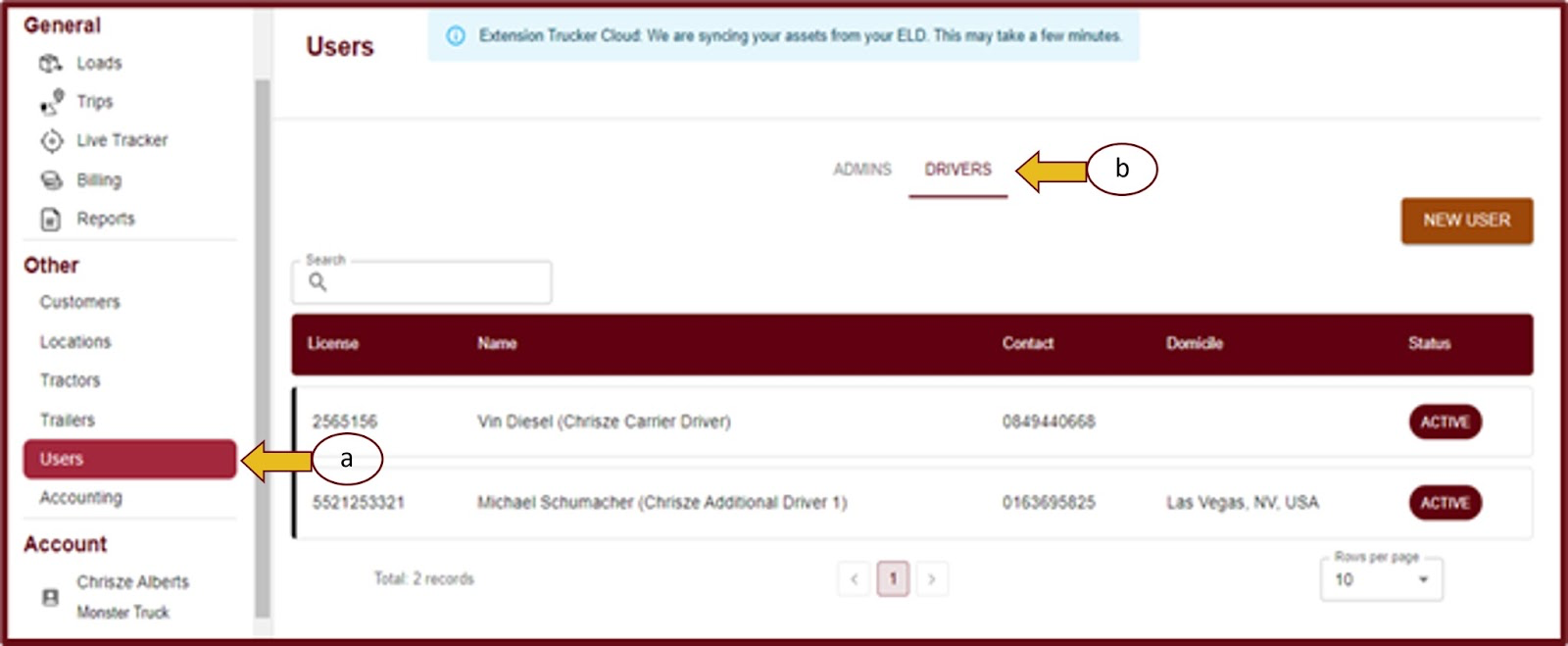
- To access TrueTMS on the web application, please log in. Then, navigate to the menu on the left side of your home screen and locate the 'Other' section. Click on 'Users' (a) and then select 'Drivers' (b) from the top menu.
- Choose the driver that you want to edit by clicking on their name from the list of displayed drivers.
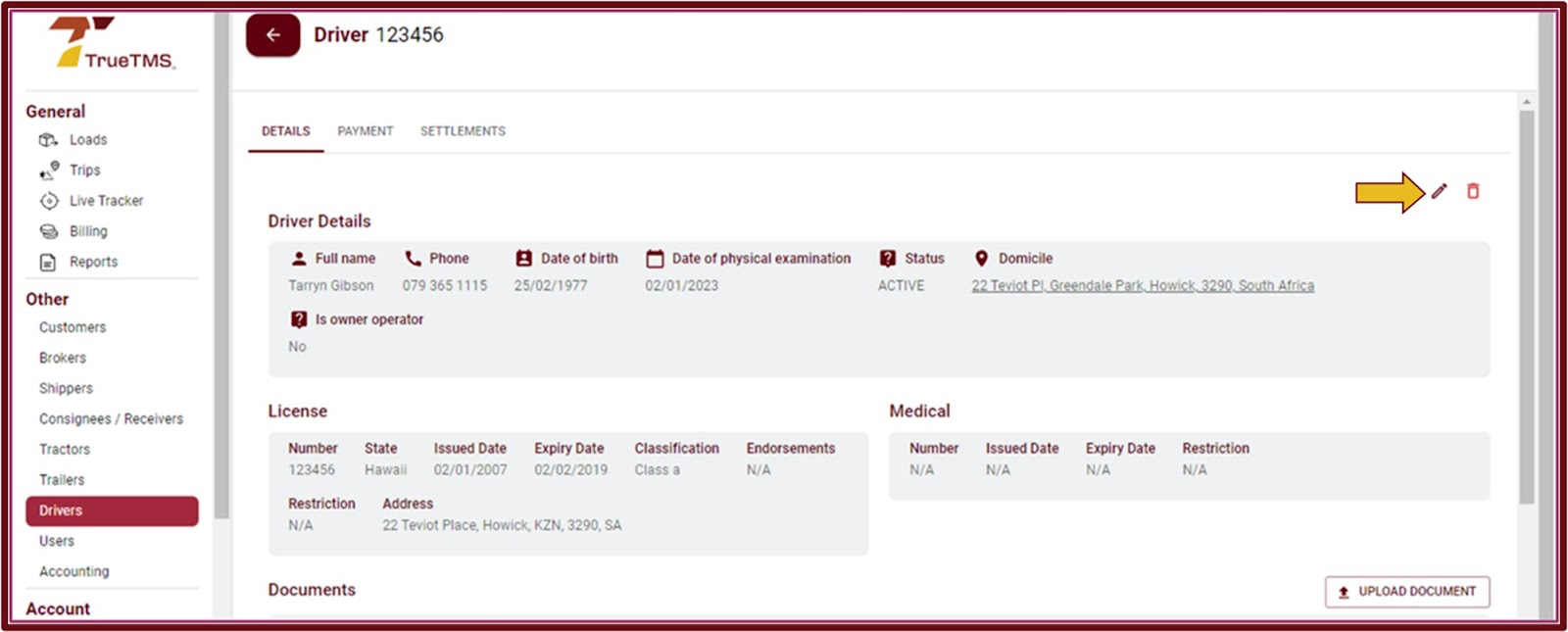
- Click on the pencil icon located at the top right corner.
- Navigate through the options and make the necessary modifications. Remember to click on 'Save' once you have finished making your changes.