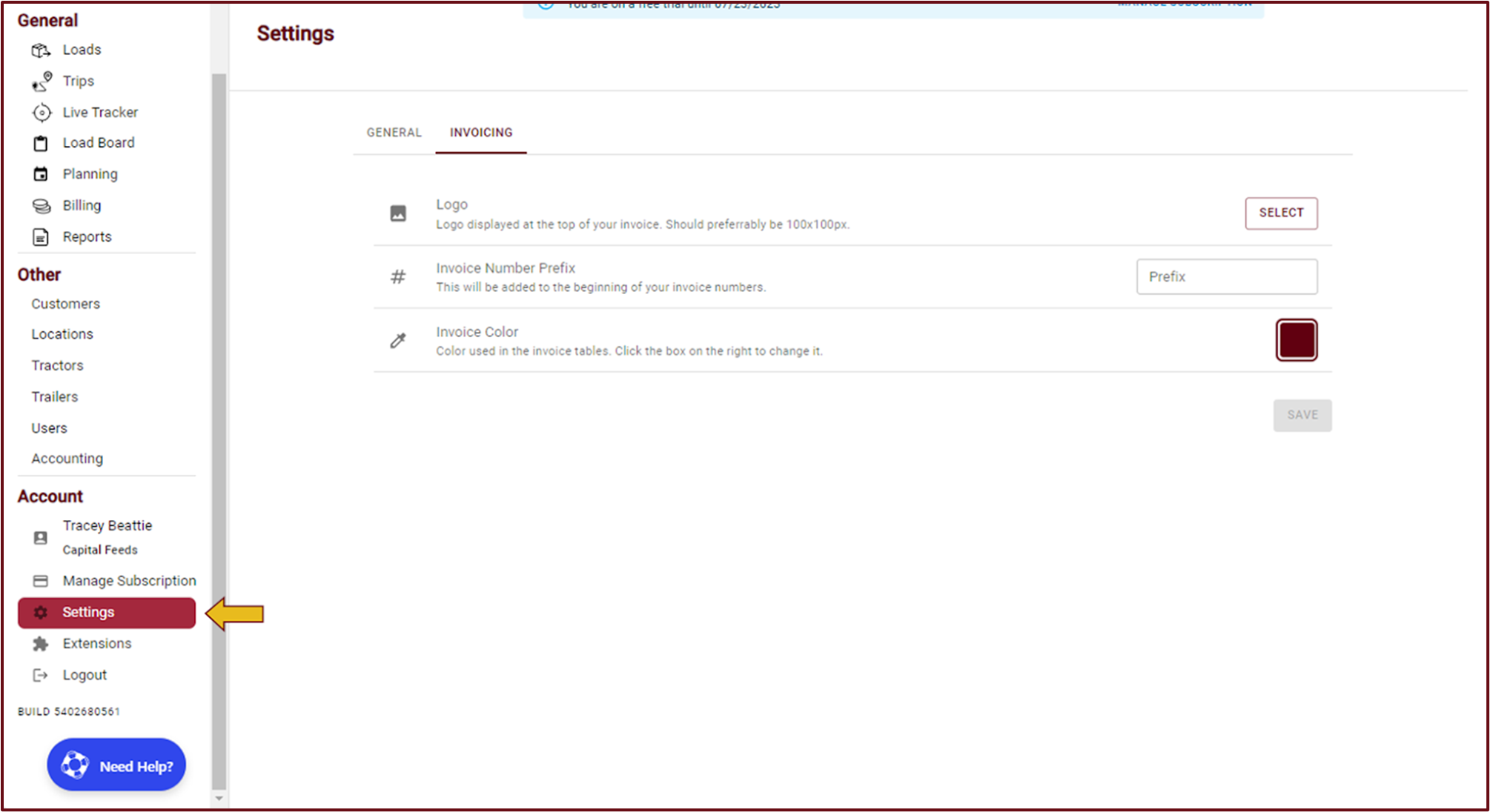
- To begin, login to TrueTMS on the web application. On the left side of your home screen, navigate to the Account section in the menu and select 'Settings'.
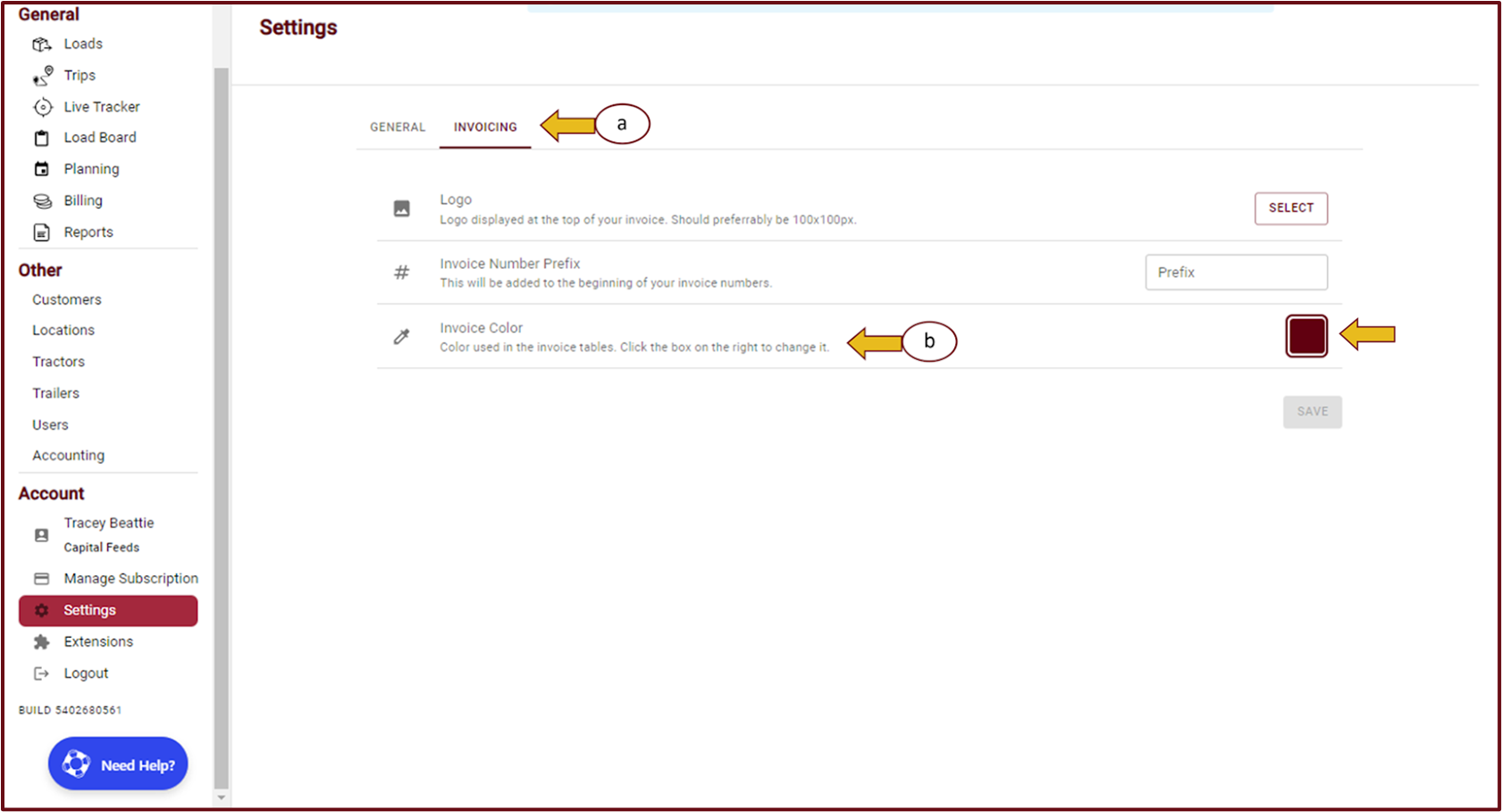
- Navigate to the 'Invoicing' tab (a) and locate the color box situated to the right of Invoice color (b).
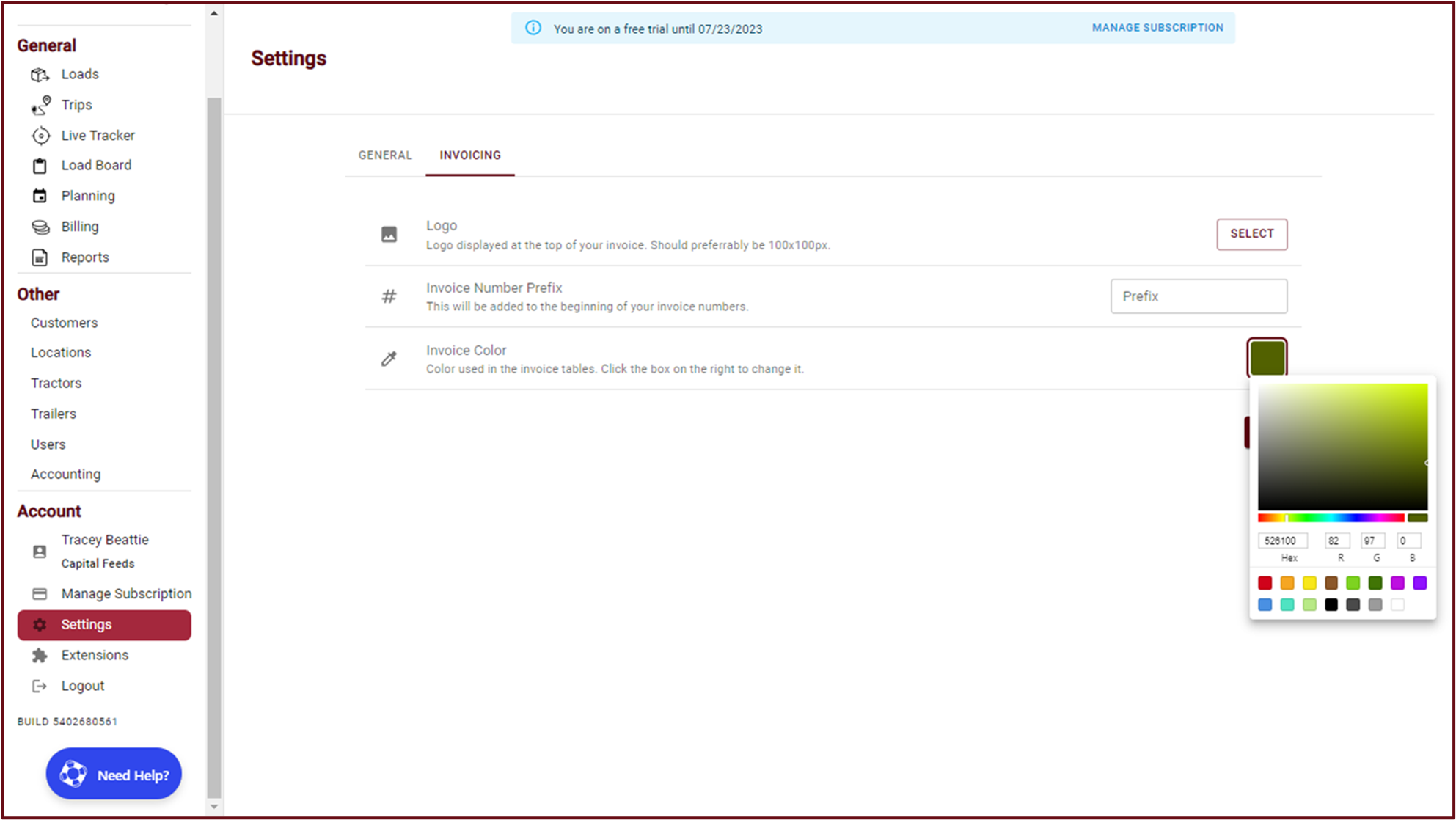
- Select the desired color for your invoices from the palette using your cursor.
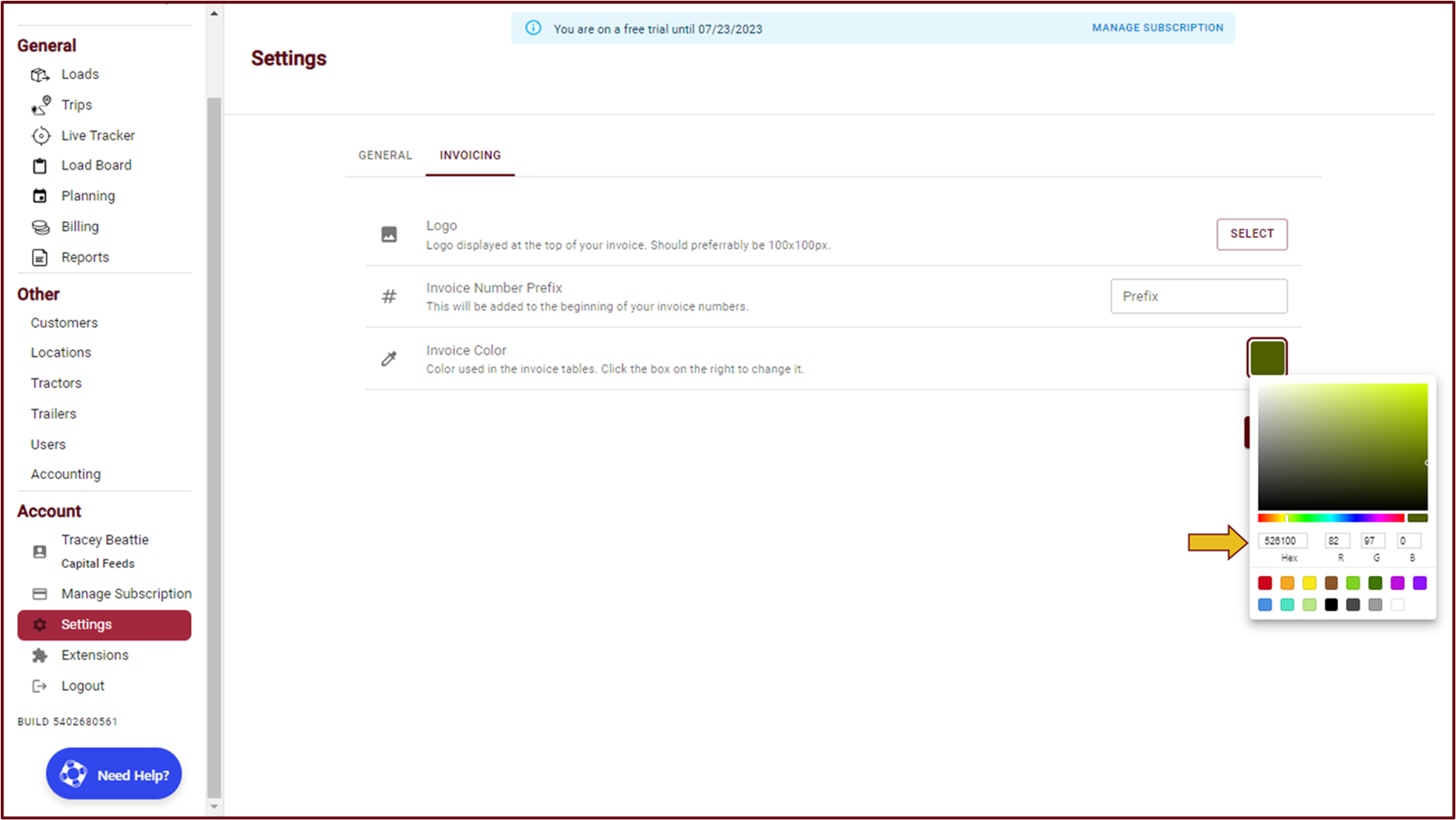
- If you are familiar with the Hex code, you can also enter it into the 'Hex' box shown below.
- After you have made your desired color selection, simply click anywhere outside the color palette box and save your changes.
TIP: If you wish to apply the new color to previously generated invoices, you will need to regenerate them.