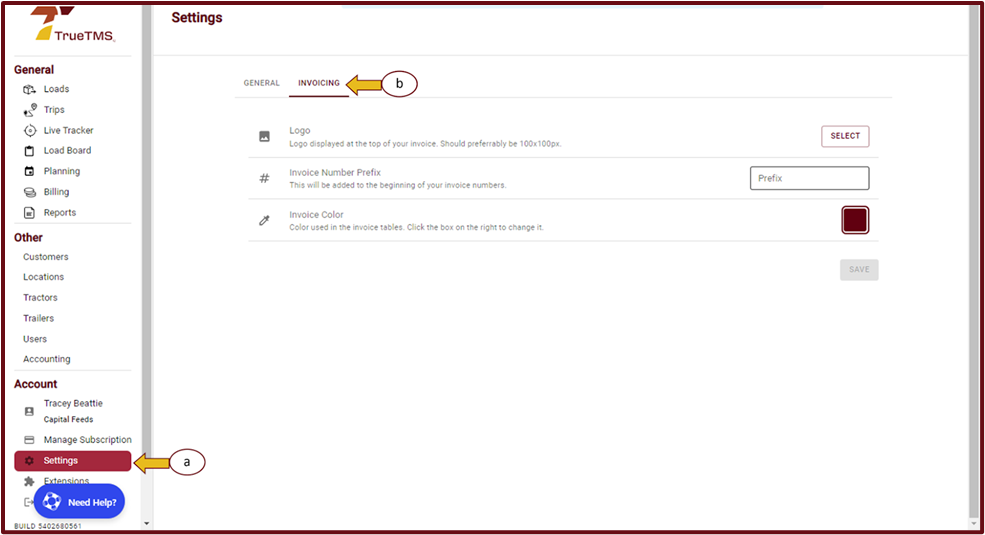
- To access TrueTMS on the web application, first, log in. Then, navigate to the menu on the left side of your home screen and click on 'Settings' under the Account section. From there, select 'Invoicing'.
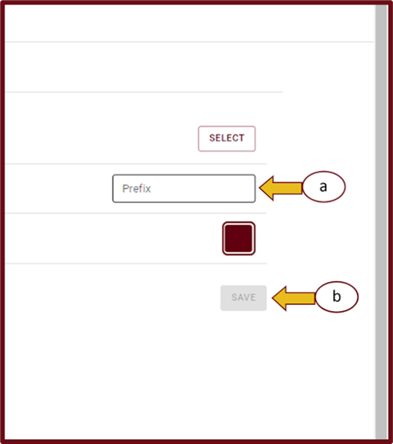
- In the 'Invoice number Prefix' section, locate and select the 'Prefix' block on the right side. Enter your preferred prefix in the designated field (a), then click the 'Save' button (b).