- To access TrueTMS on the web application, please log in. From the menu located on the left side of your home screen, navigate to the General section and select 'Planning'.
- Once the planning tool is open, select “Grid” at the top of the page.
- Select the loads you want to assign(a) AND the driver you wish to assign to (b) using the checkboxes on the left. Click ‘Assign’ (c) found towards the bottom right of the page
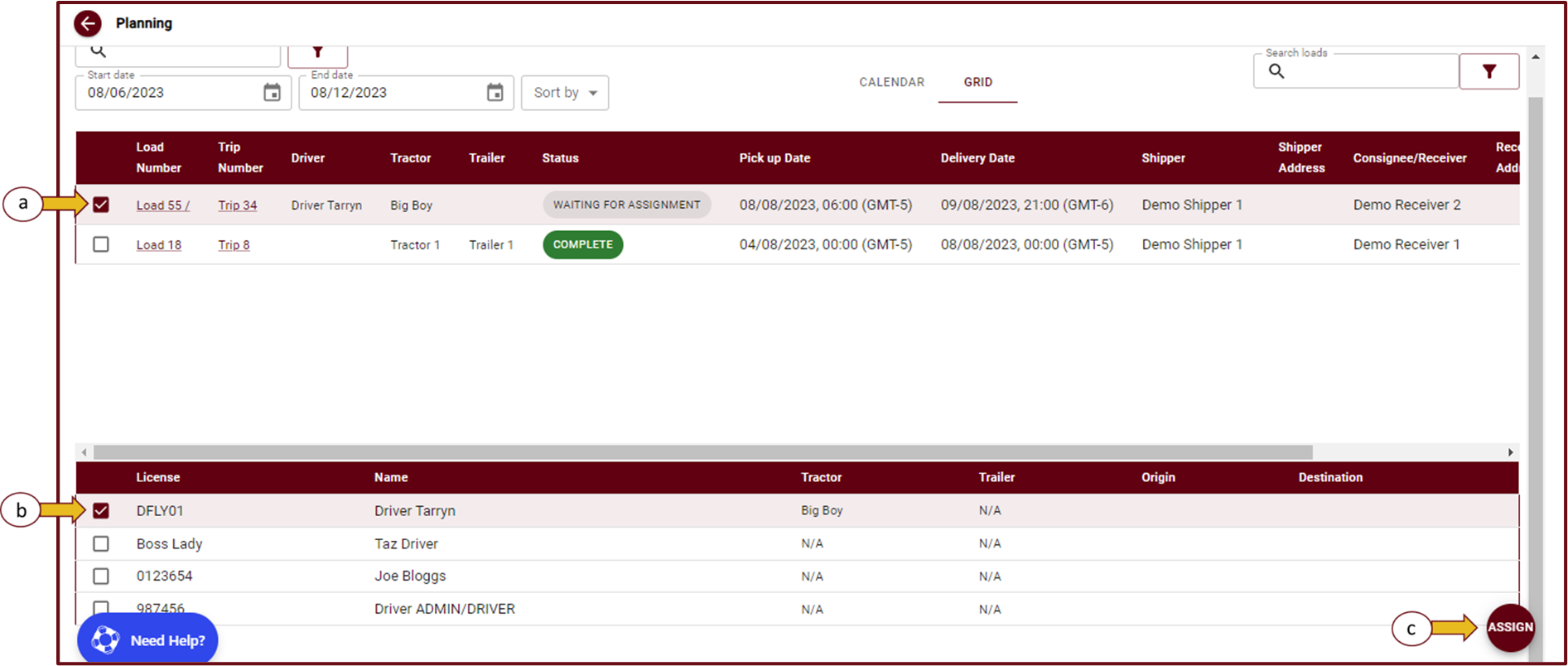
- The Selected driver and load will now be assigned.



Demo: