- Logged into the mobile application, click the drawer icon (a) in the top left corner of your screen and then select ‘Loads’ (b)
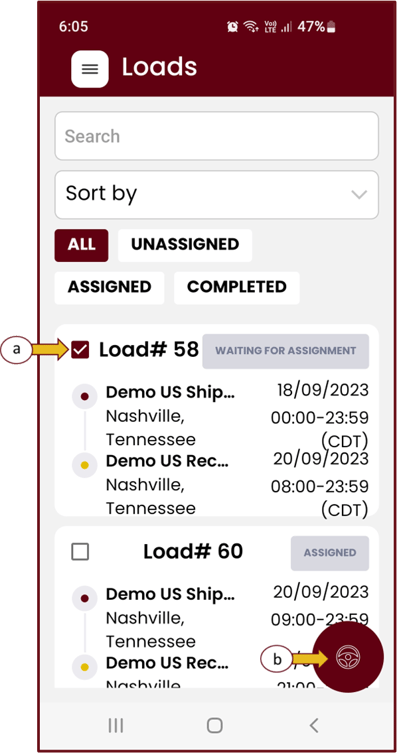
- Look for the load you wish to edit and click the check box next to the load number (a) followed by the maroon steering wheel icon (b) in the bottom right corner.
- In the assignments pop up block, using the dropdown option you can select the new driver and/or tractor and/or trailer you wish to assign for this load. Lastly, select ‘Validate’ to save your selection.

