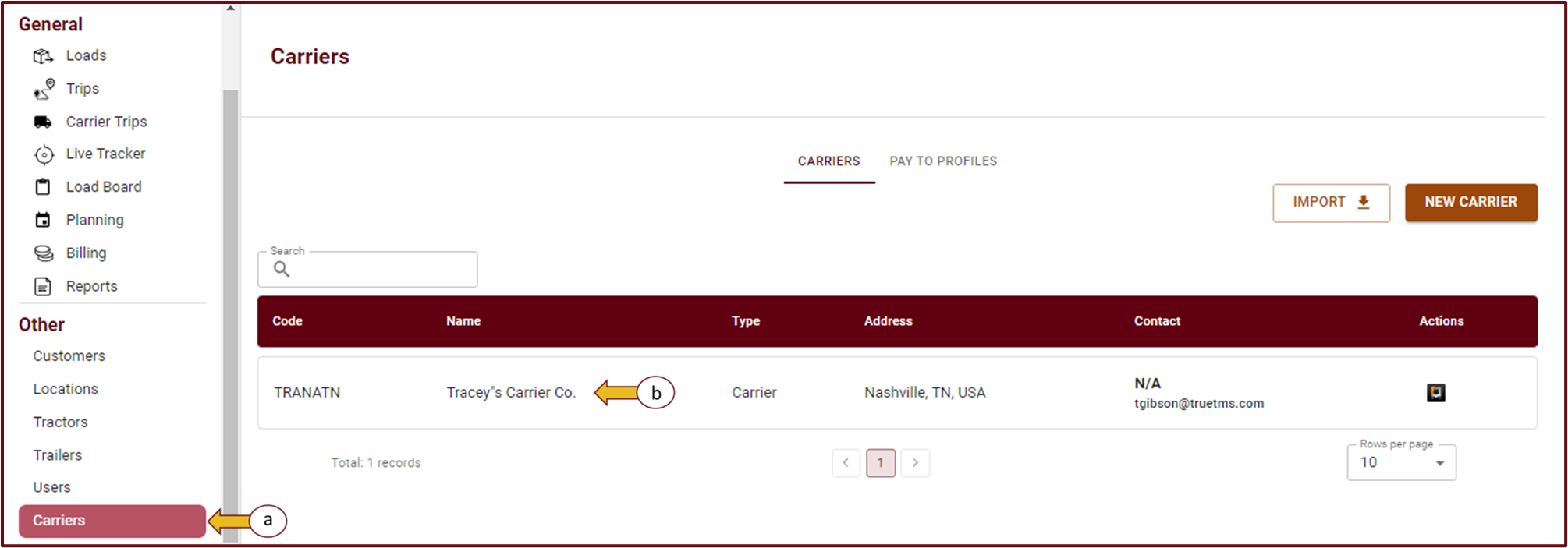
- To access TrueTMS on the web application, start by logging in. Then, on the left side of your home screen, find and select the 'Carriers' option (a) located under the Other section.
- Select the pencil icon in the top right corner.
- Once you have accessed all the relevant information for this carrier, you will find the option to add a "Pay To Profile" located near the bottom of the page. Here, you have the choice to either link an existing profile or create a new one.
- Upon navigating to the Carriers section and selecting 'Pay to Profile', you will now be able to locate your newly created profiles.


