- Log in to TrueTMS on the web application. On the menu on the left of your home screen under the Other section, click on ‘Users’.
- Choose 'Drivers' from the top menu (a). Locate the driver you wish to grant admin user privileges to from the list of drivers, and click anywhere on their line (b).
- If this driver was originally created with his/her own login details, you will see the following icon.
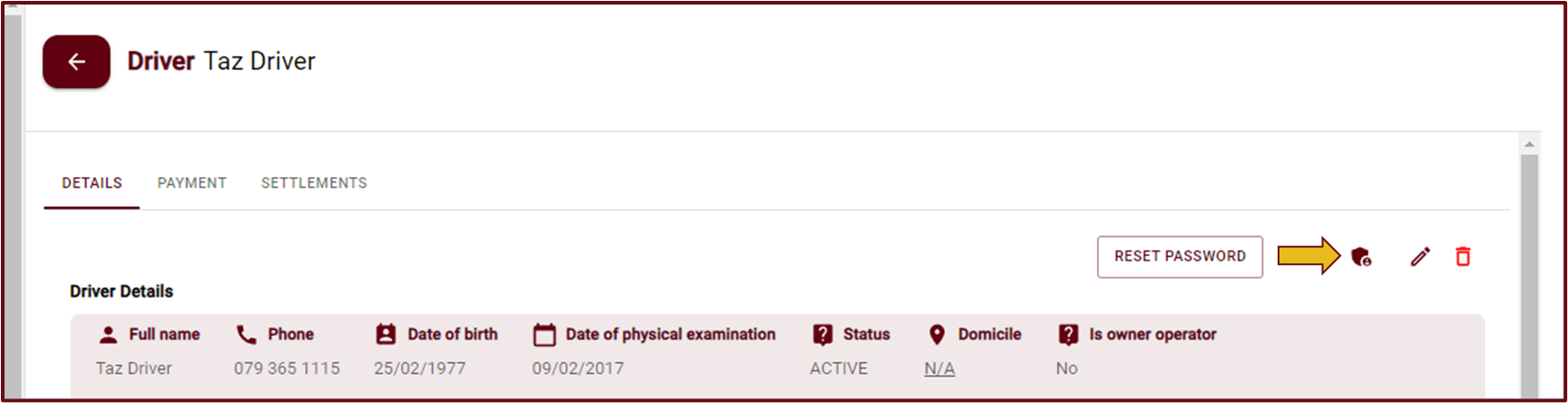
- If you do not see this icon please click the pencil icon and complete the ‘Authentication’ details.
- Should you click on this driver’s name again, the above icon will now be available, go ahead and click on this ‘Make admin’ shield icon (as shown above).
- A white confirmation square will pop up, confirming that you want to make this driver an admin user too. Select ‘Yes, Make Admin’.
- Click ‘Save’.

