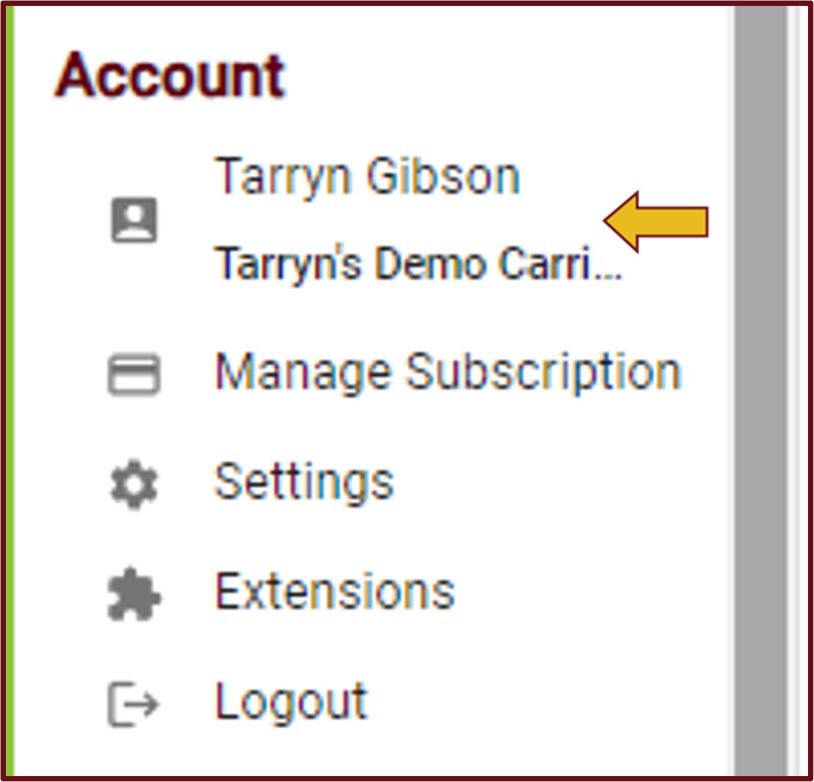
- To access TrueTMS on the web application, simply log in. Then, navigate to the left-hand menu on your home screen and locate the 'Account' section. From there, select your name.
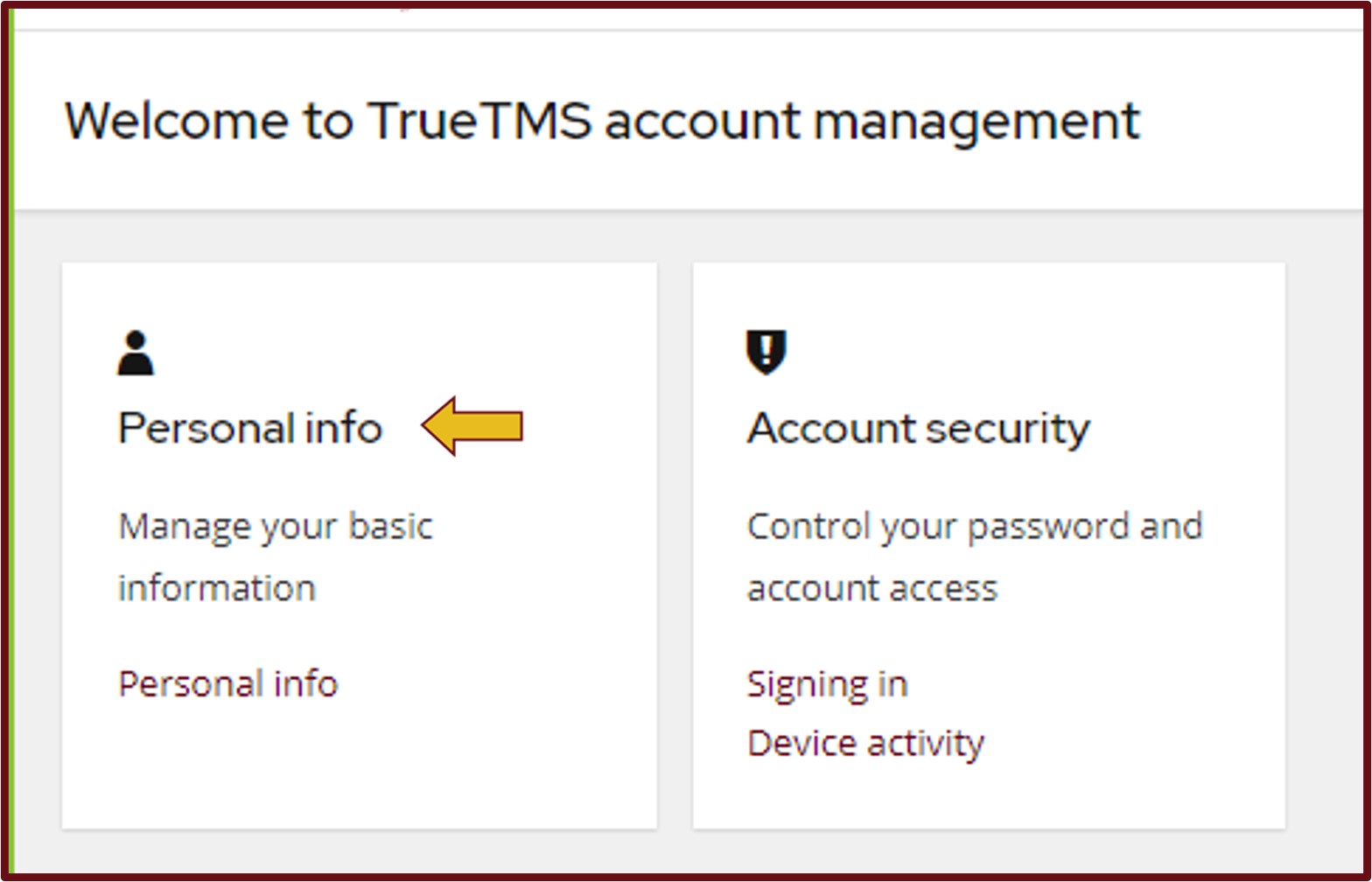
- You will be directed to an account management page where you can easily modify your personal details and account security information, such as passwords. To update your Profile, simply click on 'Personal Info'.
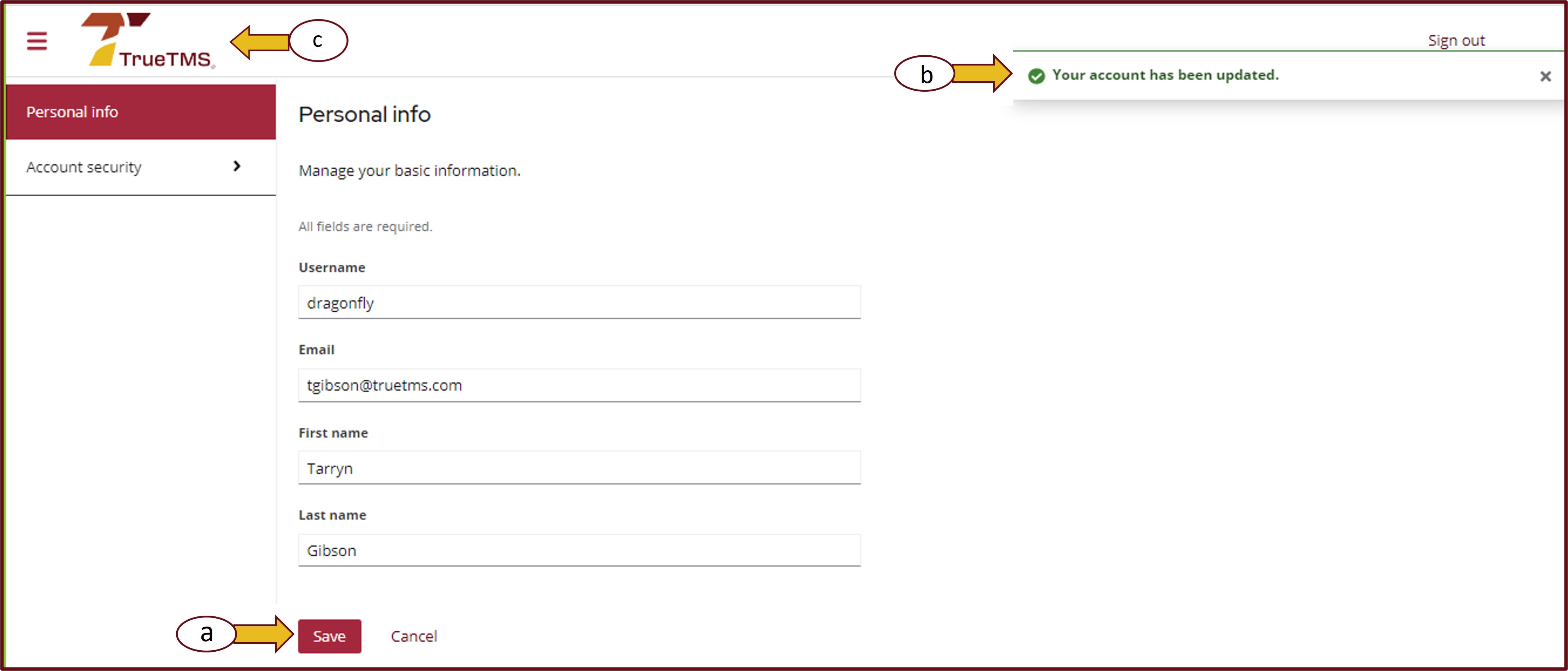
- After updating your personal information, click on the 'Save' button (a). A notification will appear to confirm that your account has been successfully updated (b). To return to your home page, simply click on the TrueTMS logo (c).