- Log in to TrueTMS on the web application. On the menu on the left of your home screen under the General section, select ‘Planning’.
- Once the planning page is open at the top of the page, select “Grid”.
- All your loads for the selected period (a) are displayed. You can change the period using the date inputs on the top left (b)
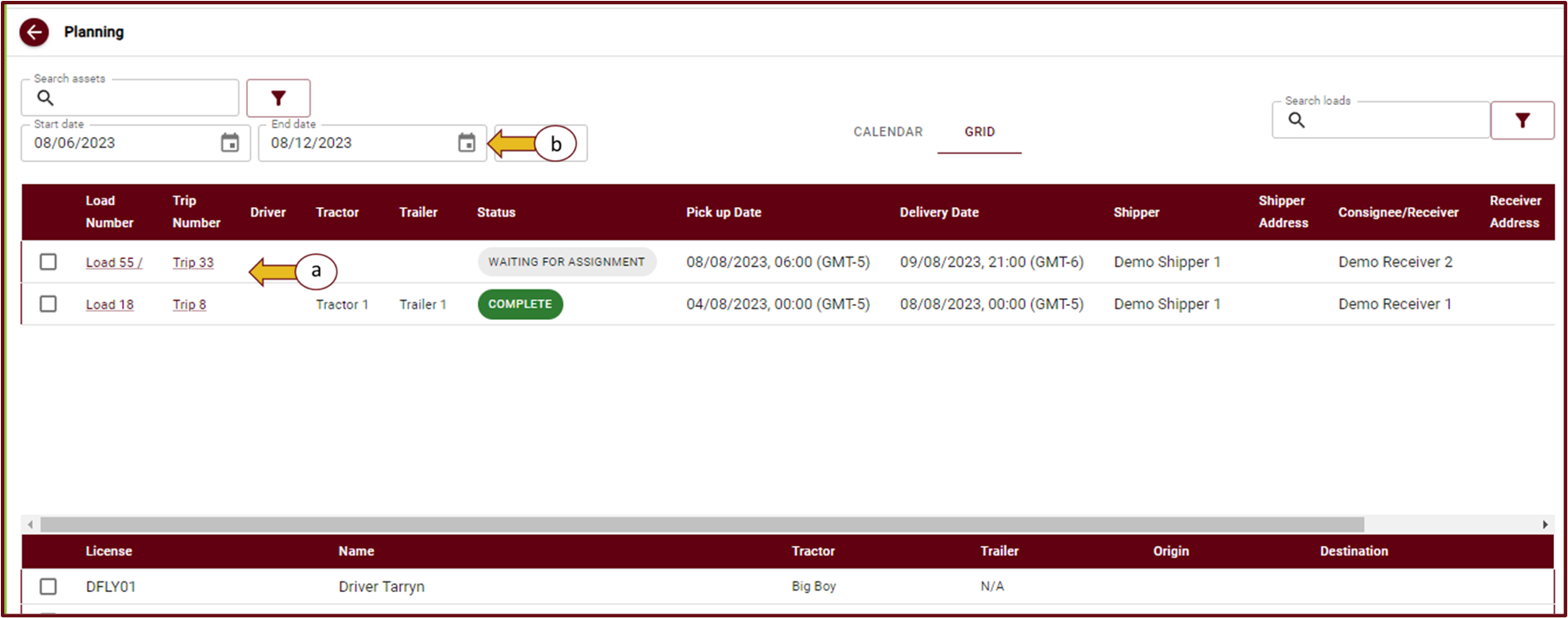
- The Loads section with all your assigned and unassigned loads contains the following load information: Load number, Trip number, Driver, Tractor, Trailer, Status, Pick up date, Delivery date, Shipper, Shipper address, Receiver, Receiver address, Distance and Revenue.

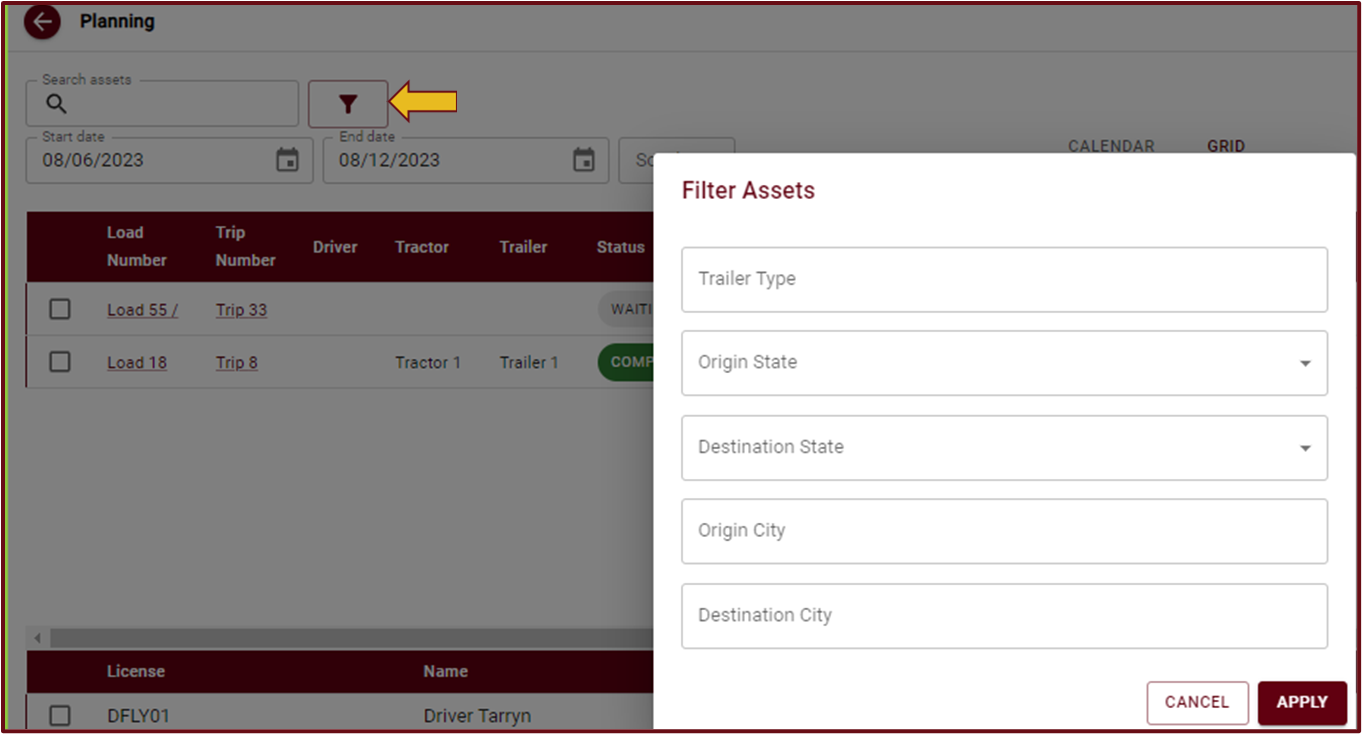
- The filter option next to Search assets (a) allows you to further break down your search as shown in the picture below
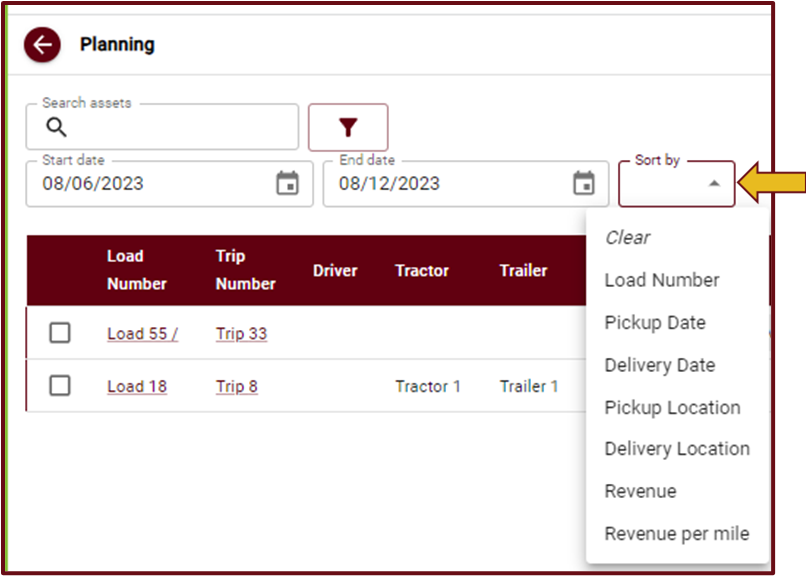
- You can sort loads by criteria using the sort dropdown as shown below
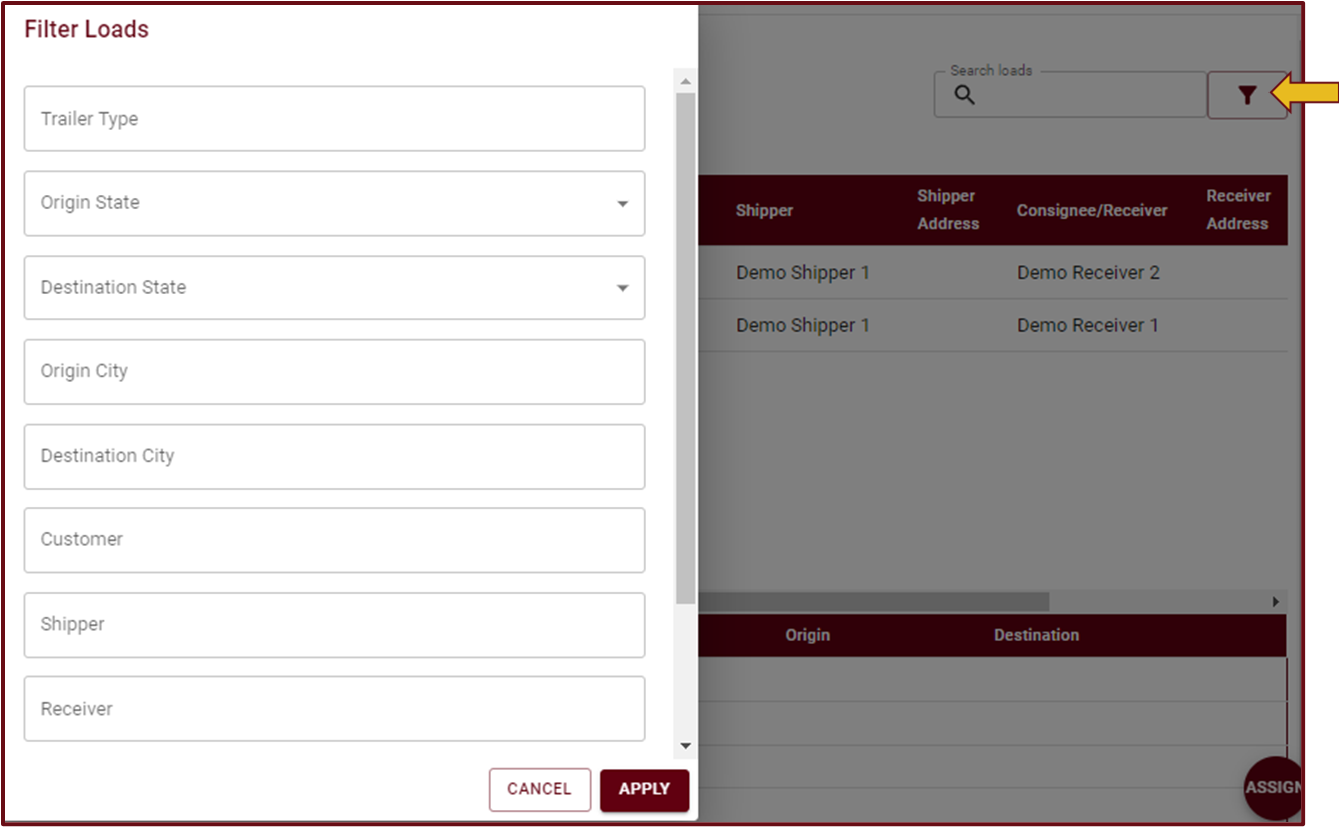
- The filter option to the right of Search Loads allows you to further break down your search of loads as shown in the picture below


Demo: