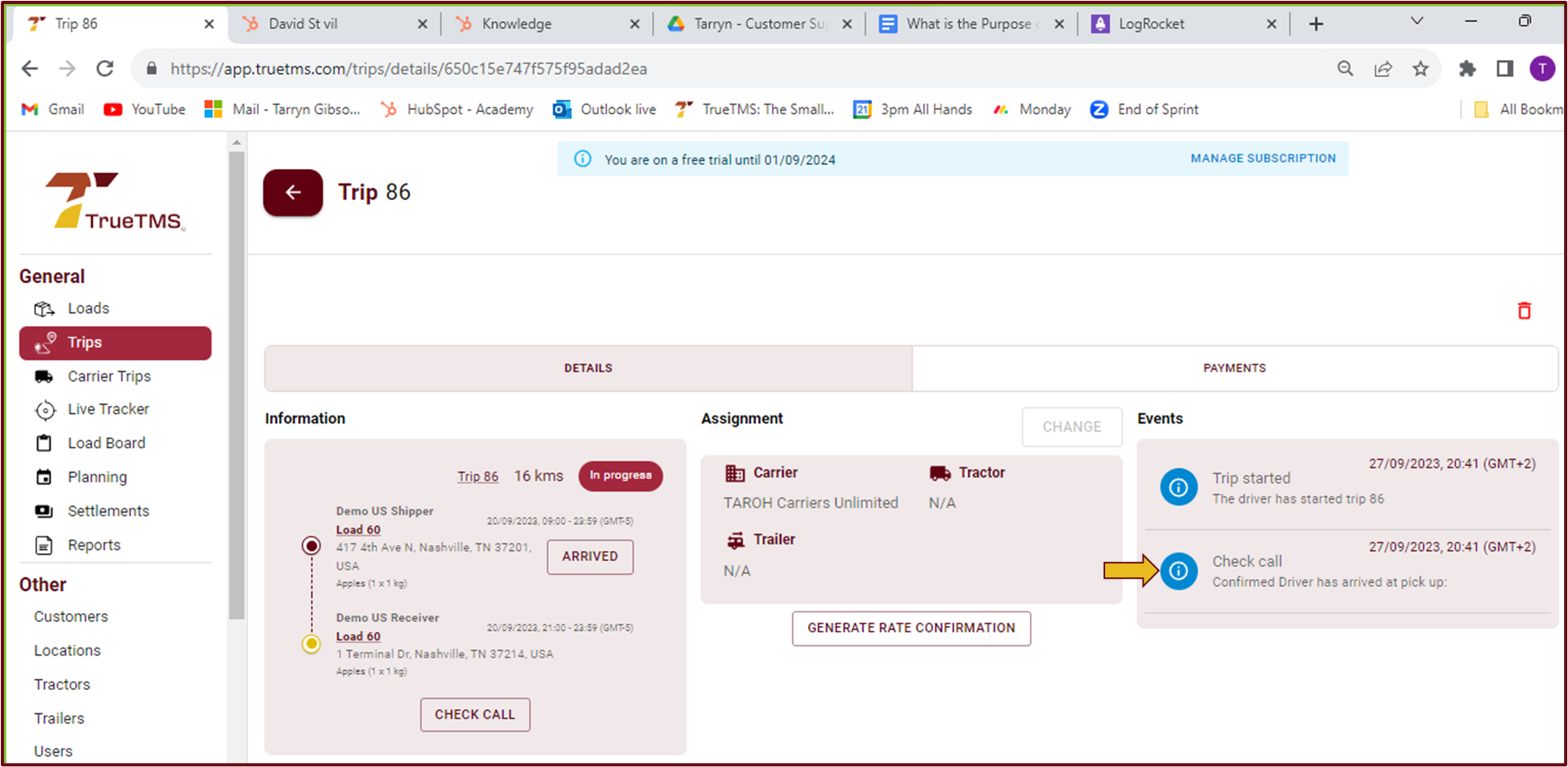
The 'Check Call' feature is primarily utilized by companies that allocate loads to Carriers. It serves the purpose of recording events in situations where drivers do not have access to the TrueTMS mobile app and are thus unable to follow the driver workflow.
Example : In the case where a driver contacts the dispatcher to provide an update on the status of the load. The 'Check Call' option can be used to manually create that event.
- From your Trips page on the web app, select the relevant trip. Alternatively, from your Loads page, open the relevant load and then select 'Open Trip'. If the load has not yet been started, please select 'Start Trip'.
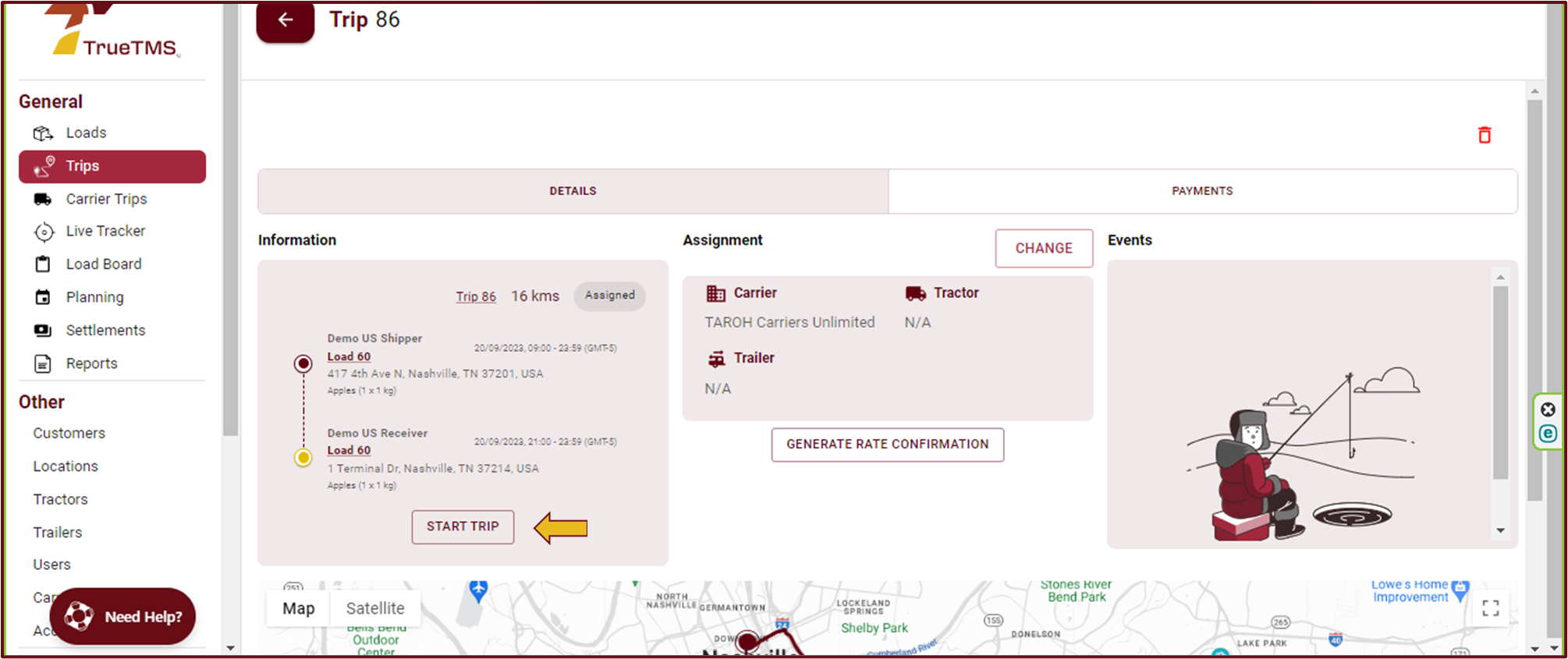
- It is at this point that you will see the ‘Check Call’ button. Go ahead and select it.
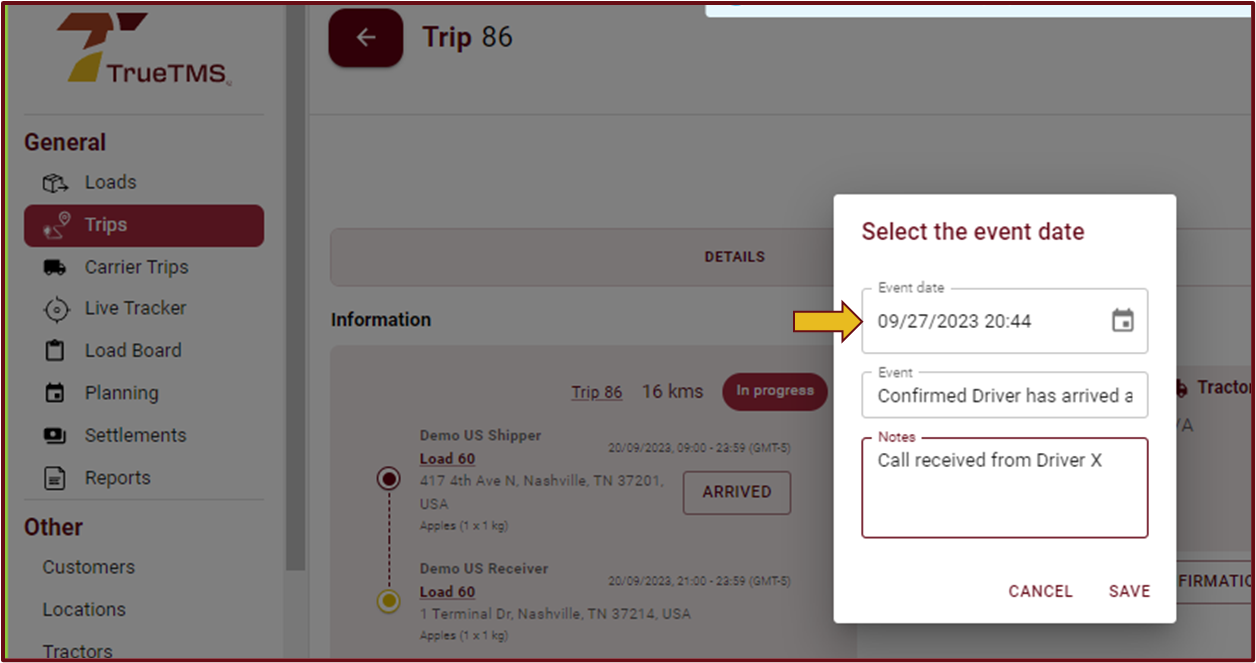
- Complete the information required regarding the event and select 'Save'.
- The check call will now be visible as an event helping you to keep track of your loads